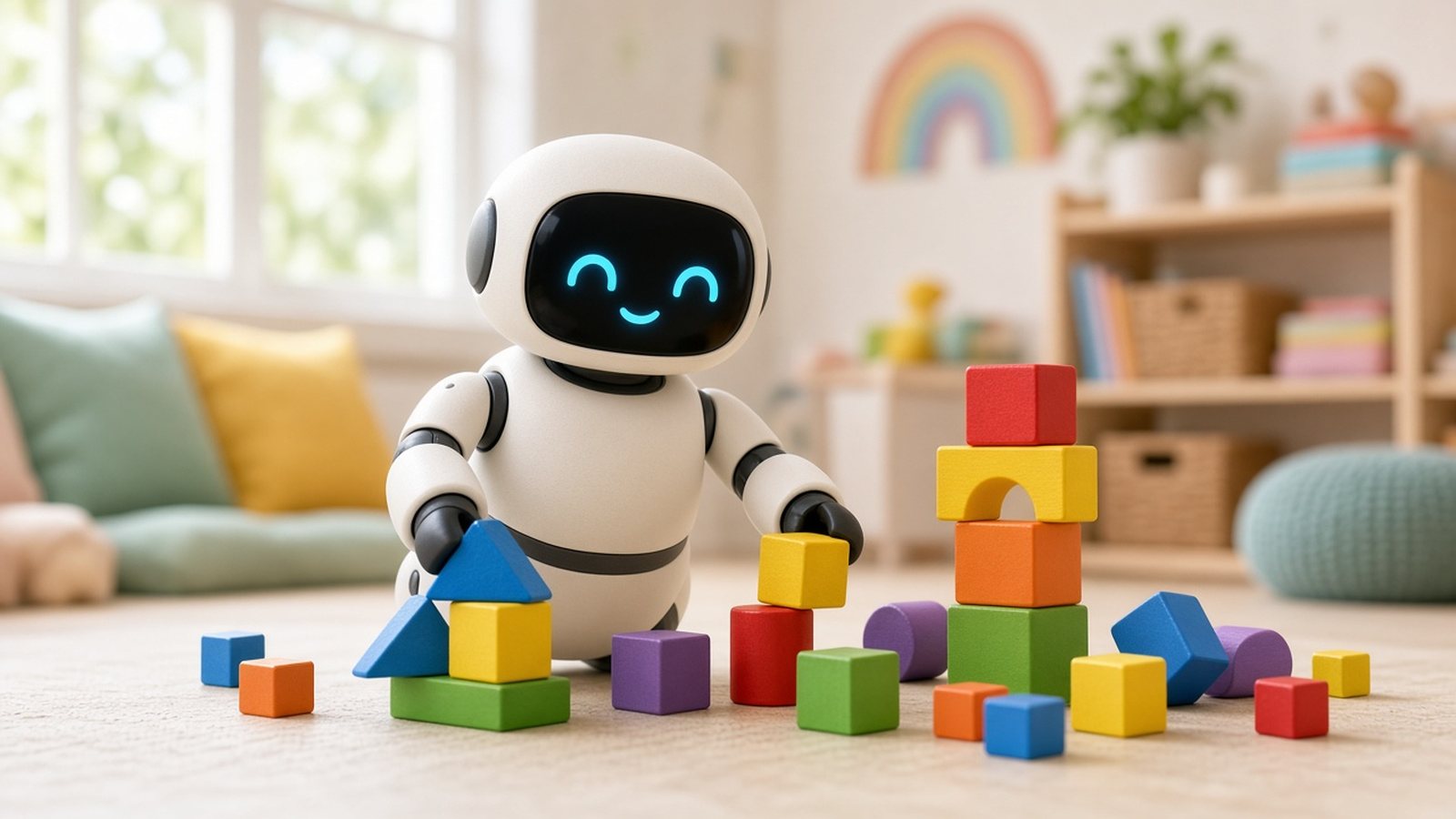
Every holiday season, a new wave of talking robots lands on kids’ wish lists. They blink, they dance, they answer questions, and the box promises they will teach your child to code, read or manage their feelings. Some of them are genuinely delightful. Others end up face-down in a toy bin by February, or worse, collect far more about your child than you realized. If you’re shopping for an AI robot for a kid this year, the hard part isn’t finding one. It’s working out which kind of robot your child will actually use, and which one you’re comfortable letting into your home.
Here’s the short answer. The best AI robot for kids aged 5 to 10 is the Miko 3, because it was built for children from the ground up, with learning games, stories, a parent app and kid-safety certification. If you want a robot that feels like a playful pet and roams around the house, the Loona Robot Pet is the most lively choice, though it’s pricier and has more cameras and sensors to think about. For tweens and teens who want to build and program a real robot, the Petoi Bittle X (Pre-Assembled) teaches genuine coding and processes voice commands without the internet. And if you’d rather skip chatbots and cloud accounts completely, the Eilik desk robot is a charming, screen-light alternative that needs no Wi-Fi at all. Below I explain who each one suits, what to check before you buy, and the privacy questions every parent should ask.
As an Amazon Associate, I earn from qualifying purchases.
Key Takeaways
- Best overall for ages 5 to 10: Miko 3, a learning-focused robot with a touchscreen face, conversation, STEAM games, stories, a parent app and an optional Miko Max subscription.
- Best robot pet experience: Loona, a roaming robot dog that recognizes faces and gestures, chats through ChatGPT, plays fetch and drives itself back to its charging dock.
- Best for learning to code: Petoi Bittle X, a programmable robot dog for ages 10 and up that supports block coding, Python and C++, with voice commands processed on the robot.
- Best no-Wi-Fi option: Eilik, a tiny touch-reactive desk companion for ages 3 and up. Its Amazon listing says plainly that it has no Wi-Fi and no AI, which is exactly why some parents prefer it.
- Check the ongoing cost: some AI robots lock extra content or parental features behind a subscription, so add that to the price before you compare.
- Privacy matters more than specs: look at cameras, microphones, data retention and parental controls before you look at the number of games.
What Actually Makes a Kids’ Robot “AI”?
The phrase “AI robot” is stretched to cover very different products, so it helps to split them into three groups before you shop.
- Conversational learning robots: these connect to Wi-Fi and use speech recognition plus a language model to answer questions, tell stories and run lessons. Miko 3 sits here. They’re the most “AI” in the sense most parents imagine, and they also handle the most data.
- Autonomous robot pets: these move around on their own, use cameras and depth sensors to avoid obstacles, recognize faces or gestures, and react with personality. Loona is the best-known example, and it adds ChatGPT-powered chat on top.
- Programmable robots: these are less about chatting and more about building, coding and experimenting. The Petoi Bittle X is a real legged robot that kids assemble or program, with on-board voice commands and optional sensors and camera for AI projects.
There’s also a fourth group that gets swept into gift guides: personality robots like Eilik. They use clever animation and touch sensors to feel alive, but they don’t run a chatbot. I’ve included one because for many younger kids, a robot that’s cute, simple and offline is the better gift, and it’s honest to say so.
Knowing which group you want narrows the field fast. A seven-year-old who loves asking “why” will get more from a conversational robot. A child who wants a pet but can’t have one may fall for a robot dog. A twelve-year-old who has outgrown toys may love a robot they can actually program.
Top Picks at a Glance
| Robot | Best for | Recommended age | Needs Wi-Fi? | AI features | Ongoing cost |
|---|---|---|---|---|---|
| Miko 3 | Learning, stories and guided play | 5 to 10 | Yes | Conversation, learning content, camera | Optional Miko Max subscription |
| Loona Robot Pet | Kids who want a lively robot pet | Family use with adult setup | Yes | Face and gesture recognition, ChatGPT chat, autonomous navigation | Listing says ChatGPT features are free for now |
| Petoi Bittle X (Pre-Assembled) | Tweens and teens learning to code | 10 and up | No | Offline voice commands, optional AI camera and sensors | None |
| Eilik | Young kids and screen-light homes | 3 and up | No | None (touch-reactive animations) | None |
1. Miko 3: Best AI Robot for Most Kids
The Miko 3 is the robot I’d recommend to most parents of children between 5 and 10, simply because it was designed for that age group rather than adapted for it. It has a rounded body with a touchscreen face, a camera, and a voice assistant you wake by saying “Hello Miko.” Once it’s on your home Wi-Fi, your child can ask it questions, play games, hear stories and work through learning activities. Miko adds new games and content every month, which helps it stay interesting after the first week.
What it does well
- Built for kids: the content, the voice and the personality are all aimed at young children. Activities cover early learning, STEAM, stories, movement games, and mindfulness and breathing exercises.
- Parent app: the Miko app on your phone lets you set goals, customize content and follow progress. The Amazon listing notes kidSAFE COPPA+ certification.
- Languages: according to Miko’s official Miko 3 FAQ, Miko 3 can interact, tell stories and play games in eight languages, including English, two versions of Spanish, Chinese, Italian, German, French and Arabic.
- Content partners: the listing mentions content from partners such as Disney, Paramount and Kidoodle.TV.
What to watch
- Subscription: the best content sits in Miko Max, which starts with a 30-day free trial and then becomes a paid plan. Decide before you gift it whether you’ll keep paying.
- Battery: Miko says it lasts up to 5 hours of active play and up to 12 hours on standby, so it’s an all-afternoon toy, not an all-weekend one.
- Connected device: it has a camera and microphones and needs Wi-Fi. That’s how the AI works, but it means reading the privacy settings properly.
Who should buy it: families with a curious child aged 5 to 10 who want a learning companion with parental oversight. Who should skip it: parents who don’t want a camera-equipped, always-connected device in a child’s room, or who don’t want another subscription.
2. Loona: Best Robot Pet With AI
If your child wants a pet rather than a teacher, the Loona Robot Pet is in a different league. Loona is a small wheeled robot dog that explores the room on its own. Its high-definition camera and 3D time-of-flight depth sensor help it recognize faces, follow you, avoid obstacles and react to hand gestures. It chases laser pointers, fetches balls and plays games from its companion app. It’s one of the few robots that genuinely gets kids off the couch.
What it does well
- Personality and movement: Loona moves, turns and responds with expressive eyes and ears, which makes it feel more alive than a stationary robot.
- Conversation: the listing says it uses Amazon Lex and ChatGPT to understand voice commands and chat, and that the ChatGPT features are free for the moment.
- Self-charging: when its battery runs low it can drive back to the dock. A recent software update improved how it remembers routes to the charger. A full charge takes about 2.5 hours, according to the listing.
- Home monitoring: its camera and speaker let you check in on your home from your phone, which some families like and some definitely won’t.
What to watch
- Price: it’s the most expensive robot here, so it’s a big gift rather than a stocking stuffer.
- Mixed reviews: owners report mixed experiences with voice recognition, setup and reliability. The maker itself advises clear pronunciation in a quiet room, good lighting and a clean camera lens.
- Most sensors: a roaming camera, microphones and face recognition add up to the most privacy questions of any robot in this guide. Plan to set it up yourself and review every permission.
- “Free for now”: the free ChatGPT features are described as free for the moment, so treat that as something that could change.
Who should buy it: families who want a playful, interactive robot pet and are comfortable managing a connected camera device. Who should skip it: parents of very young children, or anyone who wants the simplest possible privacy picture. If you’re mainly after a camera to watch a real pet, my AI pet camera guide is a better place to start.
3. Petoi Bittle X: Best AI Robot for Learning to Code
The Petoi Bittle X (Pre-Assembled) is the pick for older kids who want to understand how robots work rather than just play with one. It’s a palm-sized four-legged robot dog with nine joints, so it walks, sits, stretches and performs more than 35 built-in moves. Kids control it with a remote, a phone app or their voice, and then graduate to programming their own behaviors.
What it does well
- Real coding: according to Petoi’s official Bittle X page, Bittle X supports block-based coding for beginners, then Python and C++ for older students, with free coding curriculums. Advanced users can extend it with the open-source OpenCat framework.
- Voice without the cloud: Petoi says Bittle X doesn’t need a network connection and processes voice commands locally, without sending your voice to a server. It responds to 35-plus built-in voice commands, and you can program up to 10 of your own.
- Room to grow: optional add-ons include a camera and IoT sensors for AI and robotics projects, plus a robotic arm on a separate version.
- Pre-assembled option: the version linked here comes built with a sensor pack, so kids can play straight out of the box. A cheaper construction kit takes about 40 to 90 minutes to assemble, per Petoi.
What to watch
- Age: Petoi says it’s best for ages 10 and older; younger kids need adult help.
- Battery: it runs for about an hour of continuous walking, and the kit includes a Micro-USB cable but no charger.
- Less cuddly: it won’t hold a conversation like Miko or Loona. Its appeal is building, coding and tinkering.
Who should buy it: tweens and teens interested in STEM, robotics clubs or programming. Who should skip it: younger children who want a chatty friend. For older kids who catch the bug, pair it with one of the beginner titles from my best AI books roundup.
4. Eilik: Best No-Wi-Fi Alternative for Young Kids
I want to be upfront: the Eilik is not an AI robot in the chatbot sense, and its own Amazon listing says “No Wi-Fi, No AI.” I’ve included it because many parents shopping for an “AI robot” for a young child really want something that feels alive without any of the data collection, and Eilik nails that.
Eilik is a small desk robot with an expressive animated face and touch sensors on its head, belly and back. Pat it, pick it up or tap it, and it reacts with a huge range of moods and animations. It works the moment you switch it on, with no app, no account and no internet. Put two or more Eiliks together and they interact with each other. It charges over USB-C, and Energize Lab’s official store lists a battery life of about 1.5 hours and a one-hour charge.
- Pros: zero setup, no camera or cloud account, recommended for ages 3 and up, and regular firmware updates add new animations and games.
- Cons: short battery life, no conversation, and it’s a desk companion rather than a toy that roams. The separate AI Station accessory adds AI chat, but it’s sold separately and brings back the connected-device questions.
Who should buy it: parents of preschoolers and early-school kids, or anyone who wants a robot friend with the simplest privacy story. Who should skip it: kids who specifically want to talk to their robot.
Comparison Table: Features That Matter
| Feature | Miko 3 | Loona | Bittle X | Eilik |
|---|---|---|---|---|
| Talks and answers questions | Yes | Yes (ChatGPT) | Voice commands only | No |
| Moves around the room | Limited | Yes, autonomously | Walks on four legs | No, desk robot |
| Camera | Yes | Yes, plus depth sensor | Optional add-on | No |
| Works offline | Limited | Limited | Yes | Yes |
| Teaches coding | Some puzzles | Light | Yes, blocks to C++ | No |
| Parent app | Yes | Yes | Yes (control app) | No app needed |
| Best age | 5 to 10 | Older kids and families | 10 and up | 3 and up |
How to Choose an AI Robot for Your Child
1. Match the robot to the age, not the hype
A robot that’s too advanced frustrates a young child, and one that’s too simple bores an older one. Use the maker’s age range as a starting point: Eilik from 3, Miko 3 for 5 to 10, and Bittle X from 10. Robot pets like Loona work best when an adult handles setup and supervises at first.
2. Decide how much connectivity you’re comfortable with
This is the single biggest decision. A Wi-Fi robot with a camera and microphone can do far more, but it also collects more. U.S. PIRG Education Fund’s AI toy tips for parents recommends checking whether a toy has cameras, microphones, facial recognition or voice recognition, how it listens (push-to-talk, a wake word, or always on), and what its privacy policy says about collecting voice prints and face scans. In the U.S., the FTC’s guidance on the Children’s Online Privacy Protection Act (COPPA) explains the rules companies must follow when collecting data from children under 13, which is a useful reference when you read a toy’s policy.
3. Check the parental controls before you buy
Good controls let you set time limits, restrict features, review activity and turn the robot off. Look for these in the app listing or the brand’s help pages. If key controls only come with a subscription, factor that in.
4. Add up the real cost
The sticker price isn’t the whole story. Miko’s premium content is a subscription after the trial. Loona’s ChatGPT features are free for now, but could change. Bittle X and Eilik have no ongoing fees. A robot with a lower price and a monthly plan can cost more over two years than a pricier one with none.
5. Think about the company’s staying power
Connected robots depend on servers and app updates. PIRG points to Moxie, an expensive companion robot whose maker shut down suddenly after losing funding, leaving owners with a robot that stopped working. Established brands with a track record, active updates and clear support pages are a safer bet. Offline robots like Eilik and Bittle X are far less exposed to this risk.
6. Plan where the robot will live
Experts suggest keeping connected AI toys in shared family spaces rather than bedrooms or bathrooms, and switching them fully off when they’re not in use. If a robot only fits in your child’s room, an offline model may be the better fit.
Safety Checklist for the First Week
- Set up the robot and the parent app yourself before wrapping it, so the first-day experience isn’t a Wi-Fi password hunt.
- Spend at least an hour testing it alone. Ask it tricky questions and see how it responds to topics you’d want it to avoid.
- Turn off any features you don’t need, such as video calling, home monitoring or face recognition.
- Read the data section of the privacy policy and note how to request deletion of your child’s data.
- Keep the return window in mind, and test thoroughly before it closes.
- Teach your child how to turn it off, and explain that saying goodbye isn’t the same as switching it off.
Is an AI Robot Worth Buying for a Child?
It can be, if you pick with a clear goal. A learning robot like Miko 3 is worth it for a child who enjoys guided activities and for parents who will actually use the app. A robot pet like Loona is worth it when a child wants a playful companion and the family is comfortable with a connected camera. A programmable robot like Bittle X is one of the best STEM gifts you can buy for a tween, because the skills transfer to school and beyond. And for many young kids, an offline personality robot like Eilik delivers most of the joy with almost none of the worry.
It’s probably not worth it if you’re hoping a robot will replace screen time limits, homework help or human company. Even the best AI robot is a toy with some smart tricks, not a tutor or a friend. If your family already uses a smart speaker, it’s worth reading my best Echo device for Alexa+ guide too, since a shared kitchen speaker sometimes covers the “ask a question” itch without a dedicated robot.
Common Mistakes to Avoid
- Buying by feature count: a robot with a thousand activities is useless if your child only enjoys three of them. Think about what they’ll actually do with it.
- Ignoring the subscription: always check what’s free and what’s paid after the trial.
- Skipping setup until gift day: updates, accounts and Wi-Fi pairing can take time. Do it the night before.
- Putting a camera robot in a bedroom: keep connected robots in shared rooms whenever you can.
- Choosing a coding robot for a very young child: without adult help, a build-and-code kit can frustrate kids under 10.
Frequently Asked Questions
What is the best AI robot for kids in 2026?
For most children aged 5 to 10, the Miko 3 is the best AI robot because it combines conversation, learning content, games and a parent app in a design made for kids. Loona is the best robot pet, and the Petoi Bittle X is the best for learning to code.
Are AI robots safe for kids?
They can be used safely with supervision, but they raise real privacy questions because many have cameras and microphones and connect to the internet. Check the parental controls, read the privacy policy, keep the robot in shared spaces and turn it off when it’s not in use.
Do AI robots for kids need a subscription?
Some do. Miko 3 offers an optional Miko Max subscription after a free trial for premium content. Loona’s listing says its ChatGPT features are free for now. The Petoi Bittle X and Eilik have no subscription.
Which kids’ robot works without Wi-Fi?
Eilik works fully offline with no app or account, and the Petoi Bittle X processes voice commands on the robot without a network connection. Miko 3 and Loona need Wi-Fi for most features.
What age is best for a coding robot?
Petoi recommends the Bittle X for ages 10 and up, with adult help for younger builders. Younger children usually do better with simple block-based coding games before moving to a programmable robot.
Is Loona good for young children?
Loona is fun for kids, but it’s a connected robot with a roaming camera and face recognition, and owner reviews are mixed on reliability. It works best when an adult sets it up and supervises play, rather than as a solo toy for a young child.
Is Eilik an AI robot?
Not in the chatbot sense. Its listing says it has no Wi-Fi and no AI; it uses touch sensors and animations to feel alive. An optional AI Station accessory, sold separately, adds AI conversation.
Final Verdict
For most families with a child between 5 and 10, the Miko 3 is the best AI robot for kids, as long as you’re happy with a connected device and decide upfront about the subscription. Choose the Loona Robot Pet if your child dreams of a robot pet that runs around the house and you’re ready to manage its camera settings. Pick the Petoi Bittle X for a tween or teen who wants to build and code something real, with voice commands that never leave the robot. And if you want the joy of a robot friend with no chatbot and no Wi-Fi, the Eilik is a sweet, simple choice for younger kids.
Whichever one you choose, set it up before the big day, spend time testing it yourself, and keep it in a shared room. That’s how a talking robot becomes a toy your child loves, rather than one you worry about.
Related AI Buying Guides
If this guide helped, these related guides cover similar buying decisions:
- Best AI Books to Buy in 2026: the best books to learn and use AI, by reader type.
- Best AI Baby Monitor: smart monitors with sleep tracking and safety alerts.
- Best AI Robot Vacuum: robot vacuums that avoid clutter and pet mess.
- Best Echo Device for Alexa+: which Echo works best with the new Alexa+.
Browse every pick in our AI buying guides, read how we research and review products, or see our affiliate disclosure.
Online Store: https://store.gurmeetweb.com
Concept & created by: GURMEET SINGH DANG
Published & promoted by: GURMEETWEB TECHNICAL LABS®