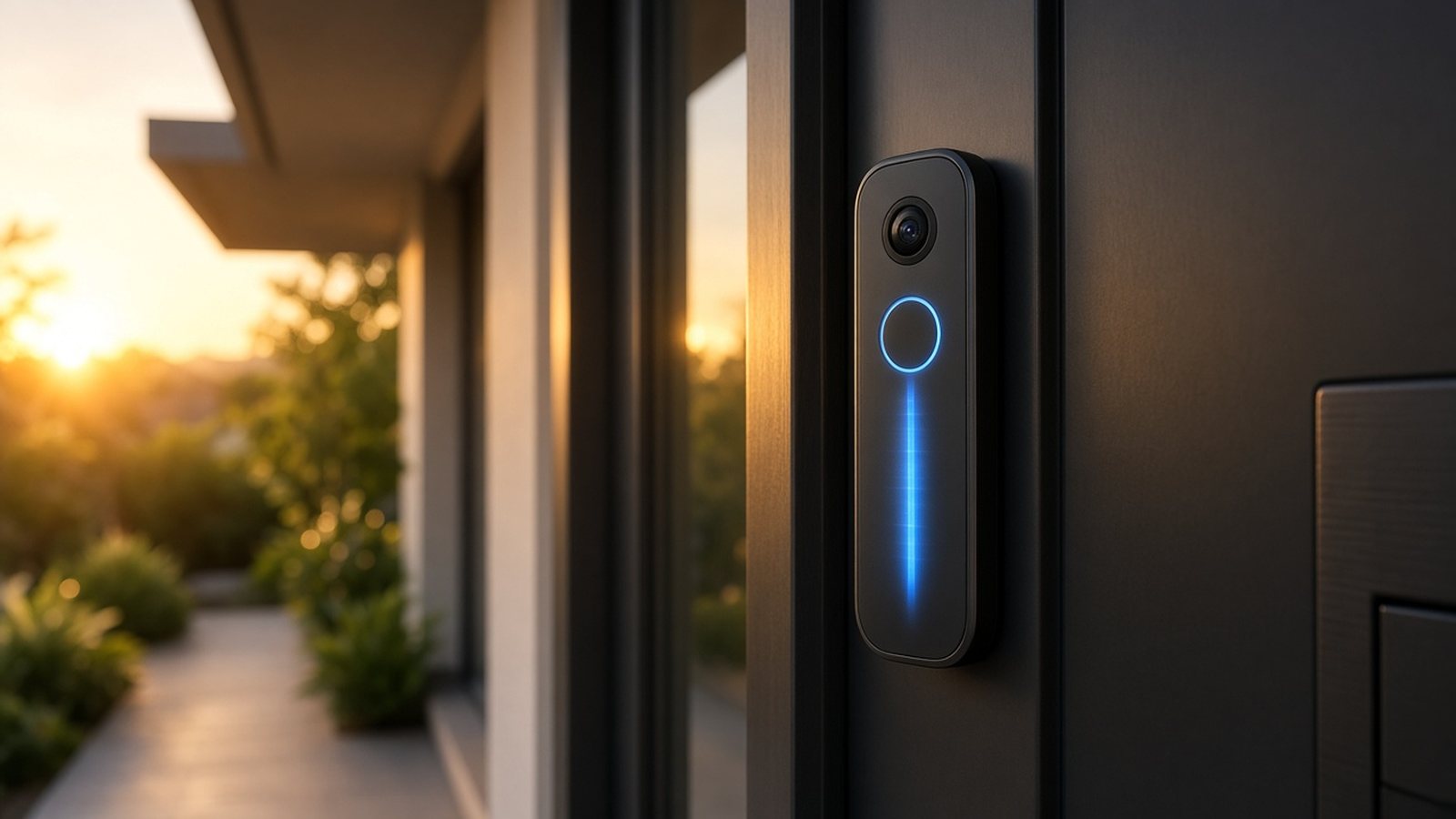
The best AI video doorbell in 2026 depends on the smart home you already use. For most Google Home households, the Google Nest Doorbell (Wired, 3rd Gen) is the strongest pick, because Gemini can describe what happened at your door and let you search video in plain language. Alexa and Amazon households usually do better with the Ring Battery Doorbell 4K Pro, which adds Retinal 4K, 3D Motion Detection and Ring’s AI alerts. If you refuse a monthly plan, the eufy Video Doorbell E340 keeps person, package and face detection on the device with local storage. Apple Home users should look at the Aqara Doorbell Camera Hub G410, which supports HomeKit Secure Video and doubles as a Matter hub.
Package theft, porch pirates and endless false alerts are why so many buyers are searching for an AI doorbell camera right now. The hardware has caught up: dual cameras that look down at the doormat, radar that ignores cars on the street, and language models that turn a motion clip into a sentence you can read without opening the app. Below you’ll find a clear Nest vs Ring vs eufy vs Aqara comparison, honest pros and cons, a buying checklist, and the questions shoppers ask before they click Buy.
As an Amazon Associate, I earn from qualifying purchases.
Last updated: November 6, 2026 (Asia/Calcutta) · Written by Study AI · Concept & created by GURMEET SINGH DANG
Quick Picks: Best AI Video Doorbell by Need
- Best overall AI doorbell: Google Nest Doorbell (Wired, 3rd Gen) — Gemini descriptions, natural-language video search, 2K square video. Check price on Amazon
- Best for Alexa / Ring homes: Ring Battery Doorbell 4K Pro — Retinal 4K, 3D Motion Detection, Familiar Faces with a Protect plan. Check price on Amazon
- Best with no monthly fee: eufy Video Doorbell E340 — dual cameras, 8 GB local storage, on-device AI. Check price on Amazon
- Best for Apple HomeKit: Aqara Doorbell Camera Hub G410 — HomeKit Secure Video, mmWave radar, built-in Matter hub. Check price on Amazon
Key Takeaways
- AI on a doorbell means three jobs: smarter motion alerts (person, package, vehicle, face), text descriptions of events, and searchable video history.
- Subscriptions decide the AI ceiling on Nest and Ring. eufy and Aqara keep more intelligence on the device or in Apple’s ecosystem.
- Dual cameras matter for packages. A downward lens sees the doormat that a head-to-toe single camera often misses.
- Power choice is not cosmetic. Battery models install fast; wired models support continuous recording and fewer charge cycles.
- Match the ecosystem first. Nest for Google, Ring for Alexa, Aqara for Apple, eufy if you want independence.
- Pair a doorbell with outdoor cams for full coverage — see our best AI security camera guide for yard and driveway options.
What Makes a Video Doorbell “AI” in 2026?
Older smart doorbells mostly watched for motion and then dumped a clip in your phone. An AI video doorbell adds recognition and language on top of that stream. In practice buyers care about five capabilities:
- Person / package / vehicle / animal detection: so a passing truck does not wake you at 2 a.m.
- Familiar face recognition: so your partner walking up does not look like a stranger alert.
- Event descriptions: a short sentence like “a courier left a box by the door” that you can read in the notification shade.
- Natural-language video search: asking “show me when the brown dog was on the porch” instead of scrubbing timelines.
- Smarter automations: unlocking a light, announcing a visitor on a smart speaker, or silencing alerts when you are home.
The catch is that the most useful language features usually sit behind a paid plan on Nest and Ring, while eufy leans on onboard AI and Aqara leans on local face recognition plus HomeKit Secure Video. That is why “best AI doorbell” and “best video doorbell with no subscription” are different shopping problems.
How We Chose These AI Doorbells
I scored each doorbell on buyer-intent criteria that show up again and again in reviews, People Also Ask results and Amazon questions:
- AI usefulness day to day: descriptions, search, package detection and false-alert control — not marketing buzzwords.
- Video clarity at the door: resolution, field of view, night vision and whether packages on the ground stay visible.
- Subscription honesty: what works free, what needs a plan, and what that plan costs according to the brand.
- Install flexibility: battery vs wired, existing chime support, and renter-friendly mounts.
- Ecosystem fit: Google Home, Alexa, Apple Home, Matter and local storage options.
- Verified specs: every resolution, angle and storage claim below comes from the brand’s own product or support pages linked in this guide.
AI Video Doorbell Comparison Table
| Doorbell | Best for | Video | Key AI | Subscription for top AI? | Power | Amazon |
|---|---|---|---|---|---|---|
| Google Nest Doorbell (Wired, 3rd Gen) | Google Home / Gemini | 2K 2048×2048, 166° | Gemini descriptions, video search, on-device ML | Yes — Google Home Premium Advanced for full AI | Wired 16–24 VAC | Check price on Amazon |
| Ring Battery Doorbell 4K Pro | Alexa / Ring app | Retinal 4K, 140°×140° | 3D Motion Detection, Video Descriptions, Familiar Faces | Yes — Ring Protect / Pro features | Battery (or hardwire) | Check price on Amazon |
| eufy Video Doorbell E340 | No monthly fee | Dual 2K cams, 160° | Human, package, face AI on device | No for core AI; local 8 GB | Battery or wired | Check price on Amazon |
| Aqara Doorbell Camera Hub G410 | Apple HomeKit / Matter | 2K, 175° | mmWave presence, on-device faces, HSV | HomeKit via iCloud+; optional HomeGuardian | Battery or wired | Check price on Amazon |
1. Google Nest Doorbell (Wired, 3rd Gen): Best AI Video Doorbell Overall
Best for: Google Home households that want Gemini-powered descriptions and searchable video history.
The Google Nest Doorbell (Wired, 3rd Gen) is the doorbell I’d point most Google users toward in 2026. According to Google’s Nest Doorbell (wired, 3rd gen) tech specs, it uses a 2K (2048 × 2048) sensor with a 166° diagonal field of view, 6× digital zoom, HDR video up to 30 FPS, full-duplex two-way audio, IP65 weather resistance and wired power from a 16–24 VAC doorbell transformer. Free event previews cover up to 6 hours with short clips. The square 1:1 frame is unusually useful at a door because it shows a visitor from head to toe without a second lens.
What the AI actually does
On-device machine learning handles basic person detection even without a paid plan. The useful language layer needs Google Home Premium. Per Google Home Premium help page, the Advanced plan unlocks descriptive notifications, searchable video history, event descriptions and daily summaries, plus longer event history and continuous recording options. Tom’s Guide and The Verge both highlight Nest’s Gemini descriptions and natural-language search as among the most polished AI doorbell features you can buy right now — with the honest caveat that descriptions are helpful but not perfect every time.
- Pros: sharp 2K square video, strong Gemini AI when you pay for Advanced, tidy Google Home automations, 6 hours of free event previews, solid night vision with HDR.
- Cons: wired-only for this model (use Nest’s battery doorbell or Indoor Power Adapter if you lack wiring), full AI needs the Advanced plan, night vision is infrared black-and-white rather than color, Alexa support is limited compared with Ring.
Who should buy it: anyone already using Google Home, Nest speakers or Gemini for Home. Who should skip it: renters without wiring, Alexa-first homes, and buyers who refuse any subscription. Check price on Amazon
2. Ring Battery Doorbell 4K Pro: Best AI Doorbell for Alexa Homes
Best for: Amazon / Alexa households that want 4K detail, radar motion zones and Ring’s AI alert stack.
The Ring Battery Doorbell 4K Pro (also sold as Battery Doorbell Pro 2nd Gen) is Ring’s flagship battery model. Ring’s Battery Doorbell 4K Pro product page lists Retinal 4K with up to 10× Enhanced Zoom, a 140° horizontal by 140° vertical head-to-toe field of view, Two-Way Talk with Audio+, 3D Motion Detection with radar, dual-band Wi-Fi 6, true-color low-light sight plus adaptive night vision, and a Quick Release Ultra Battery Pack you can swap and charge over USB-C. Operating range is −4°F to 122°F. You can mount it on battery alone or hardwire it to an existing 8–24 VAC transformer.
What the AI actually does
3D Motion Detection is the everyday win: distance-aware radar helps cut sidewalk traffic from your alerts. With a compatible Ring Protect plan, you unlock video history (up to 180 days depending on plan), Video Descriptions, Familiar Faces, richer person/package/vehicle alerts and related Pro Intelligence tools. Ring’s own Ring Protect plans page page is the place to confirm current Solo vs Pro pricing before you buy, because live view and basic alerts work without a plan but recording and the smarter AI alerts do not.
- Pros: excellent 4K detail and zoom, battery install that renters can reverse, precise radar zones, deep Alexa and Echo integration, Color night view when some ambient light is present.
- Cons: meaningful AI and recording need Protect, 4K wants a strong upload (Ring recommends about 15 Mbps), Familiar Faces and some AI features are unavailable in certain regions by law, battery swaps are another chore if you never hardwire.
Who should buy it: Prime / Alexa users, multi-Ring households, and anyone who wants battery flexibility with flagship video. Who should skip it: no-subscription shoppers and Google-only homes. If you already own Echo speakers, pairing this with the best Echo device for Alexa+ makes the whole front-door loop feel native. Check price on Amazon
3. eufy Video Doorbell E340: Best AI Doorbell With No Monthly Fee
Best for: buyers who want dual-camera package coverage and on-device AI without paying every month.
The eufy Video Doorbell E340 is the pick I recommend when the first requirement is “no monthly fee.” eufy’s official Video Doorbell E340 page describes dual cameras (a forward 2K camera for visitors and a downward camera for the porch floor), 2K Full HD clarity, color night vision out to about 16 ft (5 m), a 160° viewing angle, 8 GB of onboard local storage, IP65 weather protection, and power by removable battery or existing doorbell wiring (8–24 V, >10 VA). Human detection, package detection and face recognition AI run on the device. It can work standalone or with a HomeBase S380 for expanded local storage.
Why dual cameras beat a single wide lens for packages
Most single-lens doorbells aim at a visitor’s face. Couriers set boxes on the ground. The E340’s second camera is aimed at that blind spot, which is exactly what “best doorbell for package theft” shoppers are trying to solve. Reviewers at WIRED and How-To Geek consistently call out that dual-lens design and the lack of a required subscription as the reason to choose eufy over Nest or Ring when budget discipline matters.
- Pros: no required subscription for core AI, dual cameras for packages, local 8 GB storage, battery or wired flexibility, color night vision, works with Alexa and Google as a chime/display target.
- Cons: AI descriptions and cloud search are not in the same league as Gemini or Ring’s paid tools, HomeKit support is limited compared with Aqara, expanding storage means buying a HomeBase, and thumbnail push previews still involve brief cloud handling per eufy’s notes.
Who should buy it: apartment and house owners who hate subscriptions, frequent delivery households, and anyone building a local-first eufy kit. Who should skip it: people who want the best language-model search and already pay for Google or Ring plans. Check price on Amazon
4. Aqara Doorbell Camera Hub G410: Best for Apple HomeKit and Matter
Best for: Apple Home users and tinkerers who want a doorbell that is also a smart home hub.
The Aqara Doorbell Camera Hub G410 sits in a different category. According to Aqara’s Doorbell Camera Hub G410 page, it shoots 2K video with a 175° field of view, includes an indoor chime-hub with an adjustable speaker up to 95 dB, supports battery or hardwired power (12–24 V AC/DC), dual-band 2.4/5 GHz Wi-Fi, on-device face recognition, mmWave radar for presence and lingering detection, microSD storage up to 512 GB for continuous recording when wired, HomeKit Secure Video, and a built-in Matter controller plus Aqara Zigbee hub and Thread border router. When you use HomeKit Secure Video, Aqara notes the stream is capped at 1200p.
What the AI and hub features actually do
mmWave radar is the quiet hero: it distinguishes lingering presence from a quick pass-by, which cuts the “car drove by” alerts that plague cheaper PIR doorbells. On-device face recognition can trigger automations, such as a welcome message when a household member arrives. Apple users get encrypted iCloud storage through HomeKit Secure Video (tied to iCloud+). Home Assistant users can pull RTSP when the doorbell is wired. Optional HomeGuardian cloud is available if you want Aqara’s own cloud tier, but it is not required for the basics.
- Pros: excellent Apple Home fit, real Matter/Zigbee hub value, wide 175° view, local face recognition, microSD continuous recording when wired, strong privacy story with HSV.
- Cons: ecosystem is more complex than Ring’s one-app simplicity, HSV caps resolution, battery life varies with settings (Aqara quotes up to about 5 months in lighter use), and language-model “describe this clip” features trail Nest’s Gemini.
Who should buy it: iPhone households, Matter-heavy homes, and people who want one device to be both doorbell and hub. Who should skip it: pure Alexa users who want the simplest app experience. Check price on Amazon
Nest vs Ring vs eufy vs Aqara: Which AI Doorbell Should You Buy?
Which has the best AI descriptions and search?
Nest wins for most people who will pay for Google Home Premium Advanced. Gemini’s event descriptions and natural-language search are the closest thing to asking a person what happened at the door. Ring’s Video Descriptions and Familiar Faces are strong inside Alexa homes once Protect is active. eufy and Aqara focus on accurate detection and local recognition rather than chatty summaries.
Which is best without a subscription?
eufy. Human, package and face AI plus 8 GB local storage work without a plan. Aqara is a close second if you already pay for iCloud+ and use HomeKit Secure Video. Nest and Ring remain usable for live view and basic alerts without a plan, but you lose the AI features that make the upgrade feel “smart.”
Which is best for packages?
eufy’s dual-camera E340 is purpose-built for porch packages. Nest’s tall 1:1 frame also shows the ground better than many wide horizontal doorbells. Ring’s 4K zoom helps you read labels after the fact if the box is in frame.
Which installs easiest?
Ring Battery Doorbell 4K Pro and eufy E340 for renters and anyone avoiding the breaker box. Nest Wired 3rd Gen for homes with a healthy doorbell transformer. Aqara flexes either way but rewards careful Home app setup.
Buying Checklist: What to Confirm Before You Order
- Existing wiring: measure or look up your transformer rating (Nest wants 16–24 VAC, 10–40 VA; Ring and eufy accept lower ranges when hardwired).
- Wi-Fi at the door: stand on the porch with your phone. Weak signal equals delayed alerts; consider a mesh node near the entry.
- Upload speed: 4K Ring models want roughly 15 Mbps up; 2K Nest wants at least about 3.3 Mbps for full resolution per Google’s notes.
- Chime plan: mechanical chime, digital plug-in chime, or phone-only? Confirm compatibility before you remove the old button.
- Subscription math: add 2–3 years of Nest Advanced or Ring Protect to the sticker price and compare that total with eufy’s local-first cost.
- Privacy rules where you live: face recognition features are restricted in some U.S. states and cities — check the brand’s regional notes.
- Whole-home coverage: a doorbell watches the entry, not the backyard. Pair it with outdoor cams from the best AI security camera roundup, and if pets trigger false alarms inside, compare indoor options in the best AI pet camera guide.
Common Mistakes When Buying an AI Doorbell Camera
- Buying for AI, ignoring install: the smartest software fails if your transformer is undersized or Wi-Fi dies at the porch.
- Assuming “AI” is free forever: read what expires after the trial on Nest and Ring.
- Skipping package sight lines: if deliveries are your pain point, prioritize dual cameras or a tall 1:1 frame.
- Mixing ecosystems carelessly: a Nest doorbell in an Alexa-only house works, but you will fight the apps every week.
- Forgetting indoor awareness: families with infants often want a separate best AI baby monitor, and busy households sometimes add a best AI robot vacuum so the same “smart home” budget covers chores too — don’t stretch one doorbell to solve every problem.
Is an AI Video Doorbell Worth It in 2026?
Yes, if you get regular deliveries, travel often, or are tired of motion spam from older cameras. The AI that matters is not a gimmick chatbot on your porch — it is fewer false alerts, clearer package proof, and a notification you can understand in one glance. For many households that is worth more than another indoor gadget.
It is probably not worth a flagship spend if you already have a working wired peephole camera you trust, if your porch has no Wi-Fi path, or if you are unwilling to either pay a plan or learn a local-storage app. In those cases fix networking first, then shop.
Frequently Asked Questions
What is the best AI video doorbell in 2026?
For most Google Home users, the Google Nest Doorbell (Wired, 3rd Gen) is the best AI video doorbell because of Gemini descriptions and searchable video. Alexa users should choose the Ring Battery Doorbell 4K Pro. No-subscription buyers should choose the eufy Video Doorbell E340. Apple Home users should choose the Aqara Doorbell Camera Hub G410.
Do I need a subscription for an AI doorbell?
It depends on the brand. eufy runs core person, package and face AI without a monthly fee. Nest and Ring offer live view without a plan but need Google Home Premium or Ring Protect for recording, descriptions and the best smart alerts. Aqara can use HomeKit Secure Video through iCloud+.
Nest doorbell vs Ring: which is better?
Choose Nest if you live in Google Home and want Gemini language tools. Choose Ring if you live in Alexa, want battery flexibility and 4K zoom, and are fine paying for Protect. There is no universal winner — ecosystem fit beats raw specs.
What is the best video doorbell with no monthly fee?
The eufy Video Doorbell E340 is the best no-monthly-fee AI doorbell for most people, thanks to dual cameras, 8 GB local storage and onboard human/package/face detection. Aqara G410 is the better no-Ring/no-Nest option if Apple HomeKit is required.
Can AI doorbells detect packages?
Yes. eufy E340 includes dedicated package detection AI and a downward camera aimed at the doormat. Nest and Ring also offer package-related smart alerts as part of their paid intelligence features, with accuracy that varies by porch layout and lighting.
Are AI video doorbells secure and private?
Reputable brands encrypt video in transit and offer privacy zones, but cloud AI means some event data is processed off the device. If that bothers you, prefer local storage (eufy, Aqara microSD) or HomeKit Secure Video’s end-to-end model, and review each brand’s privacy policy before enabling face recognition.
Battery or wired AI doorbell — which should I get?
Pick battery for rentals and simple installs. Pick wired for continuous recording, fewer charge cycles and features that need constant power. Many battery models, including Ring 4K Pro and eufy E340, can also be hardwired later.
Related Guides
- Best AI Security Camera 2026 — outdoor and indoor cams to cover the rest of the property.
- Best AI Dash Cam 2026 — AI ADAS and parking cams for the car when home cameras are not enough.
- Best Echo Device for Alexa+ — speakers and displays that announce Ring doorbell events.
- Best AI Pet Camera 2026 — indoor cams when pets trigger porch or hallway alerts.
- Best AI Baby Monitor 2026 — room-level AI monitoring for new parents.
- Best AI Robot Vacuum 2026 — another high-intent smart-home upgrade buyers often research next.
Final Verdict
If you want one clear recommendation, buy the Nest Doorbell Wired 3rd Gen for Google homes that will use Gemini AI, the Ring Battery Doorbell 4K Pro for Alexa homes that want 4K and radar, the eufy Video Doorbell E340 when a monthly fee is a deal-breaker, and the Aqara G410 when Apple HomeKit and Matter matter most. Check today’s pricing with the links above, confirm your transformer and Wi-Fi, and treat AI descriptions as a helpful assistant — then glance at the clip when something important happens.
A focused AI doorbell camera will not replace a full camera system, but it will make the most important doorway in your home easier to trust. Start with the ecosystem you already pay for, run the checklist, and you will avoid the expensive mismatches that show up in return piles every holiday season.
Online Store: https://store.gurmeetweb.com
Concept & created by: GURMEET SINGH DANG
Published & promoted by: GURMEETWEB TECHNICAL LABS®